"I broke my app and I have no way to undo it."
Cursor made one bad suggestion. The app crashes. You don't remember what it changed. There's no undo button big enough.
Save your work with one click. Go back to any version, any time. No commands. No jargon. Built for people who'd rather ship than learn another tool.
The problem
"I broke my app and I have no way to undo it."
Cursor made one bad suggestion. The app crashes. You don't remember what it changed. There's no undo button big enough.
"Saving my code feels like a college class."
You've watched the tutorials. You still don't really get any of it. Every command feels like it might delete everything.
"Half the project disappeared when my friend tried to add their part."
You spent the weekend building. Your friend spent the weekend building. Now half of it is gone and neither of you knows where it went.
Savepoint fixes all of this.
How it works
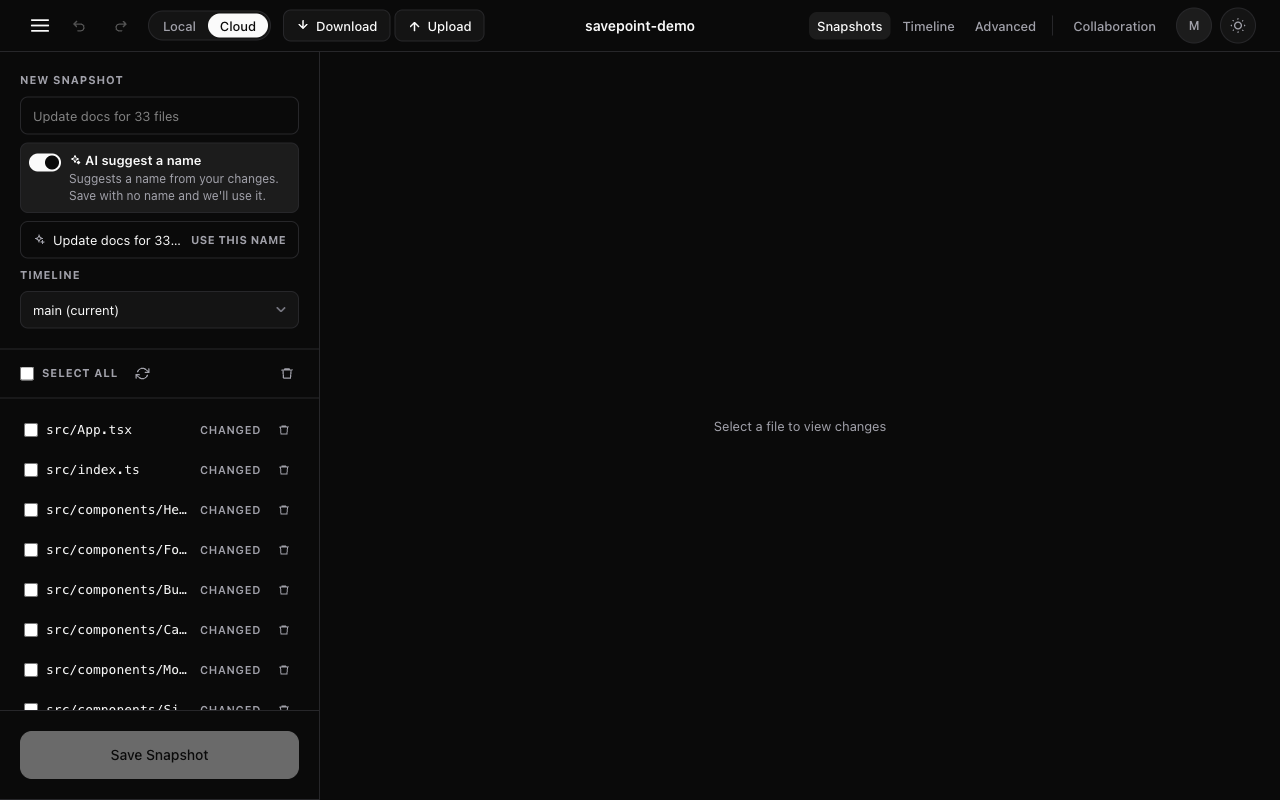
Click save. Give it a name like "before adding the dark mode." Done. No buttons to figure out, no setup, no learning curve. Your save sits in a list, waiting for you whenever you need it.
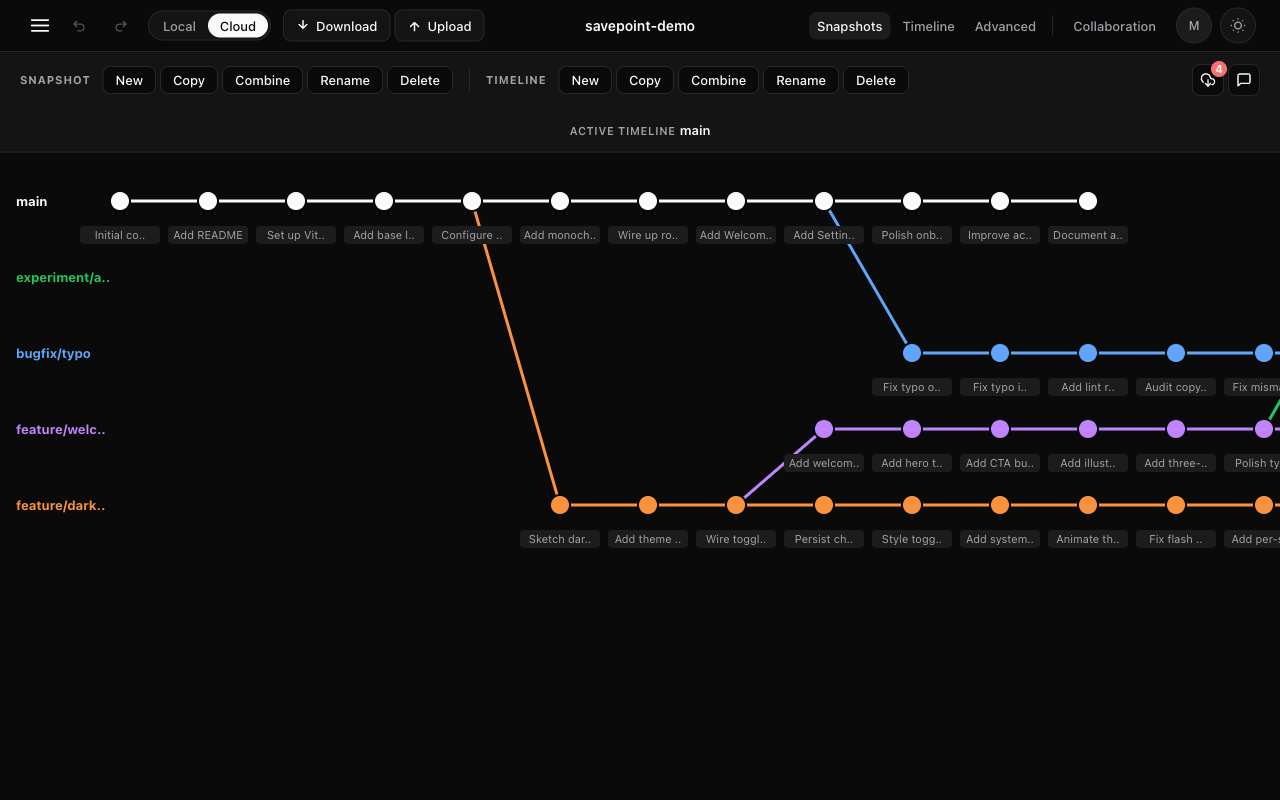
Every save shows up as a dot in a tidy timeline. Click any of them and your project rolls back to exactly how it was at that moment. Even if you changed your mind ten times since.
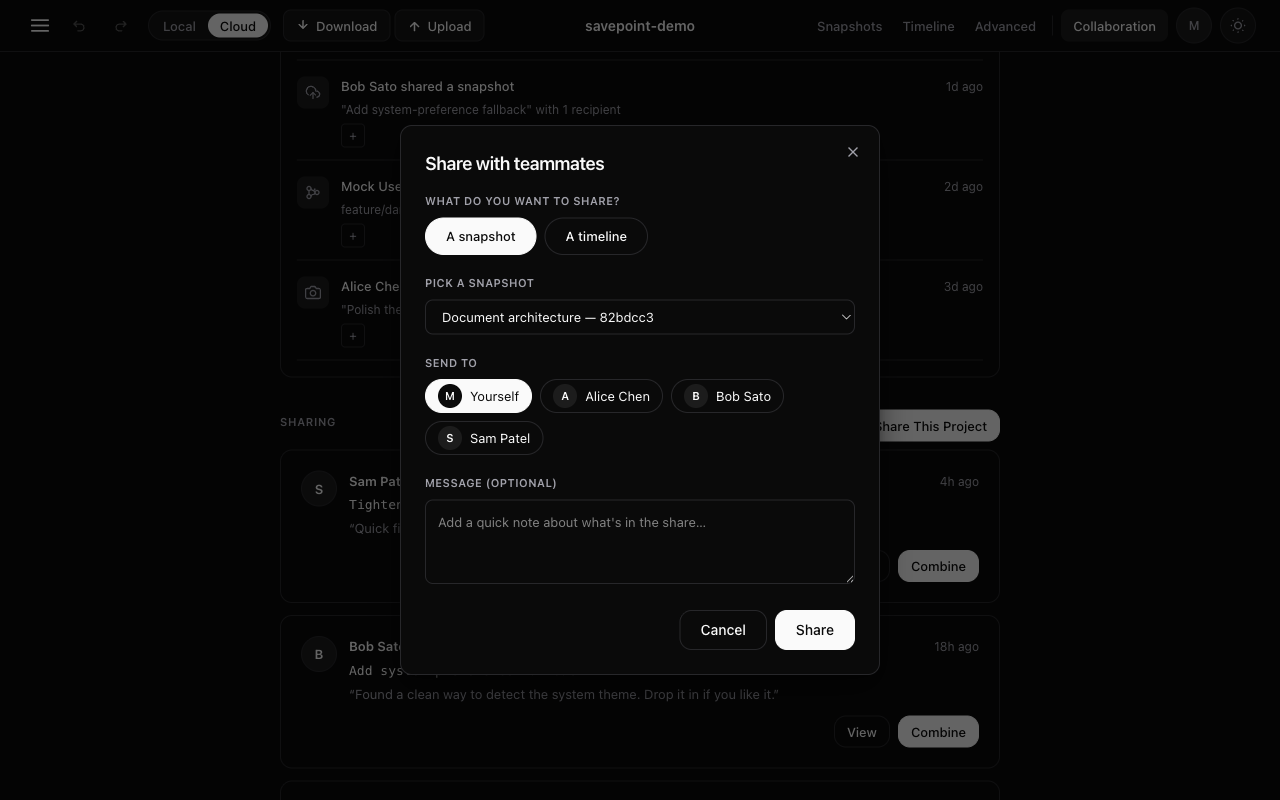
One click sends a save. They see your version next to theirs side by side. One more click adds your work to their project. No "merge conflicts." No weekend lost to detective work.
Features
Save with a name like “before adding the navbar.” Find it later in one search.
Cmd+Z works on everything you do. You literally cannot break it.
Every save shows up as a dot. Click any of them to roll your project back there.
Leave reminders for yourself, or quick reviews for a friend. Stuck to the save forever.
One click sends your save. One more click on their end adds it to their project.
Back up to the cloud, or keep it all on your laptop. Your call, per project.
On paid plans
Free for solo work. Paid plans add AI features that save you time, and security features your team needs.
AI snapshot names
Flip the toggle and Savepoint reads the files you changed and writes a clear name like "Update docs for 33 files" or "Add tests for src/utils/format.ts." Hit save with no name and it uses the suggestion automatically.
AI conflict help
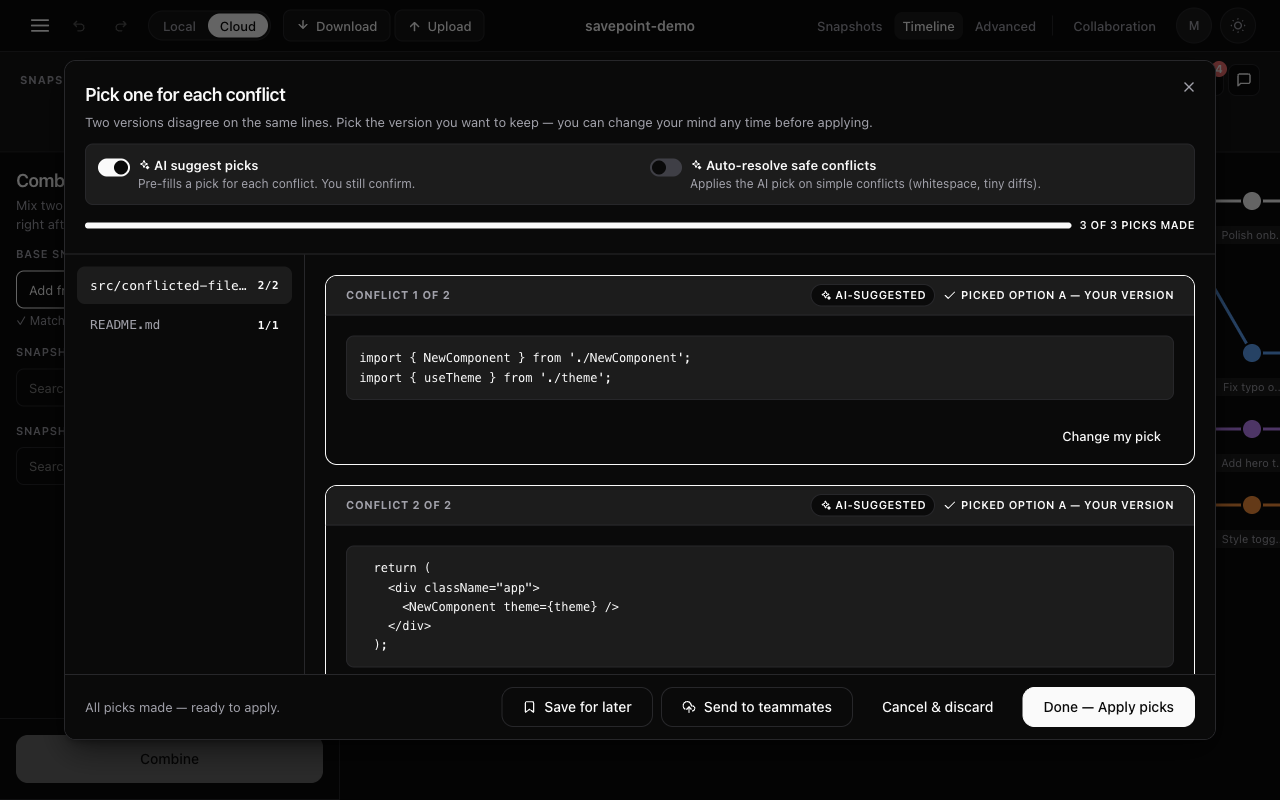
When two saves touch the same lines, Savepoint shows them side by side. Turn on “AI suggest picks” and it pre-picks the better version for every conflict. You still get the final word. Auto-resolve safe conflicts handles the obvious ones (whitespace, tiny diffs) without bothering you.
Security for teams
Business plan adds single sign-on (SSO) so your team logs in with one click, plus full audit logs of who changed what and when. Custom seat counts and AI quotas on Enterprise. Free and Team plans don’t need this stuff. Business and Enterprise do.
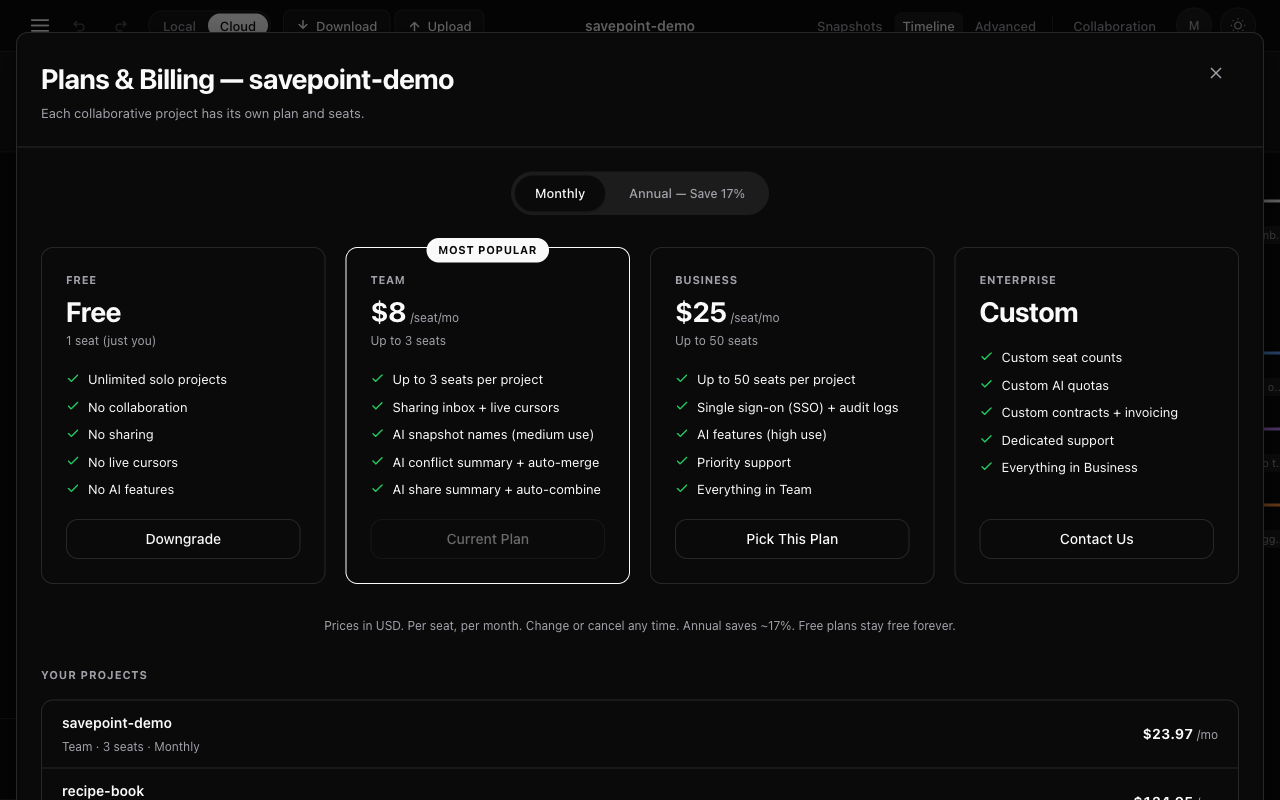
Team starts at $8 per seat per month. Business adds SSO and audit logs at $25 per seat. Enterprise is custom.
Who it's for
Vibe coders
You're making things in Cursor, Claude Code, ChatGPT, or Lovable. The AI keeps suggesting changes. You need a safety net so you can try things without panic, and roll back the second something breaks.
People learning to code
The version-control part of the tutorials is the part that makes you want to quit. Savepoint replaces all of that with one Save button. Don't lose your homework the night before it's due.
Solo founders
You're working alone, or with one friend who helps sometimes. You need to share work without losing it. You don't have time to learn anything else. Savepoint handles it.
Questions
Drop your email below. One message from us, the day Savepoint launches, with the download link.